AnswersIQ Dungeon 2 [Create a Stairway!] : Level 119 Solution Walkthrough Guide
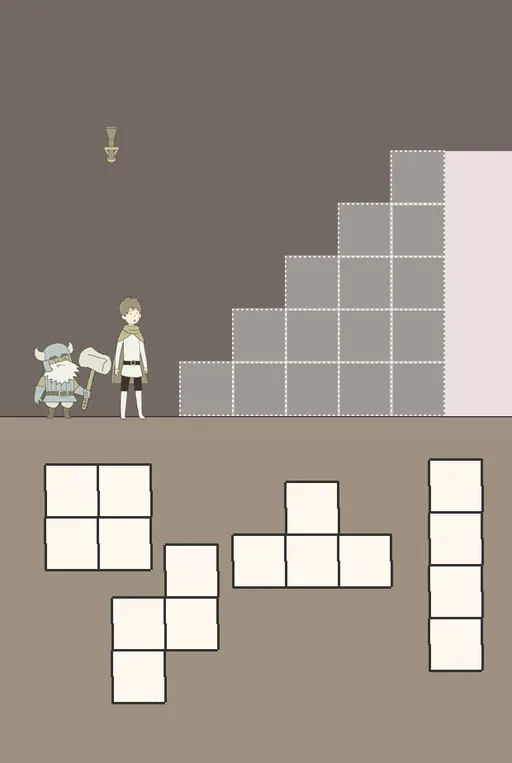
IQ Dungeon 2 Level 119: Create a Stairway!
IQ Dungeon 2 Level 119 is the stage called Create a Stairway!, and the game nudges you with one line: Drag the block with a crack in it over to Bruno and he'll break it!. Here is what that actually means, plus the answer itself.
Quick answer for Create a Stairway! Place them like this!. If that still will not go in, re-read the first nudge: Drag the block with a crack in it over to Bruno and he'll break it!.
Numbers shift between versions. If the picture is not your stage, search all IQ Dungeon 2 levels by title.
About the game
IQ Dungeon 2: Inherited Light:- Hirameku Inc.’s follow-up, with a new cast.
IQ Dungeon 2 Level 119 hints
Drag the block with a crack in it over to Bruno and he'll break it!
Hint 2 picture

Place them like this!
The move that clears Create a Stairway! is this: Place them like this!. People get stuck because it is a drag rather than a tap, so press, keep your finger down and release over the target. Worth knowing before you start: the parts you can move or press are the tetris puzzle block cliff, the tetris block connection point, the tetris block and the dwarf cave torch.
IQ Dungeon 2 Level 119 step by step solution
- Work out the clueDrag the block with a crack in it over to Bruno and he'll break it!
- What you can moveThe parts you can move or press are the tetris puzzle block cliff, the tetris block connection point, the tetris block and the dwarf cave torch. Everything else is just background, so ignore it.
- Make the movePlace them like this!
- How to do itPress on the object, keep your finger down, slide it to where it needs to go, then let go.
IQ Dungeon 2 Answers All Levels
That is IQ Dungeon 2 Level 119, Create a Stairway!, cleared. Remember that it is a drag rather than a tap, so press, keep your finger down and release over the target.